
TLDR;
Look, nobody has all day to read a stupidly long article, but it felt good to trauma dump at least.
In essence, it helped me regain control of my habits, like it aimed to do, but the app is prone to severe failure, which can result in Brick modes disabling overnight during updates and even your progress being deleted entirely.
Support staff are friendly but aren’t miracle workers.
For a product that costs £50, it’s infuriating when it doesn’t work correctly, and the teething / setting up period can be long as you find your feet and experiment with different modes.
Introduction
Like many people, I’ve struggled a lot with controlling how much time I spend on my phone.
Willpower is good, but a finite resource, that gets drained. On such occasions, it’s helpful to have a method in which you can take control away from your mind, and just live in the moment.
Why I bought the Brick.
That was the initial inspiration behind why I purchased the Brick, a tap-on, tap-off solution that allows you to forfeit some of your screen time settings to a device that is designed to create an obstacle in the way of how you go about unlocking these settings.
The purpose of this comes as iPhones (the device I currently use in an iPhone 14) are usually pretty terrible when it comes to controlling your screen time settings. It is way too easy to unlock your phone, and during moments of high boredom (a natural occurrence when abstaining from using your phone) you can just go into your settings and disable them.
Unless you’re a child that hands permission of how you use your phone to an adult, who would typically set a passcode that prevents bypassing these controls, individually controlling how you use your phone is hard on your own. This is because it isn’t logistical for adults, who rely on their phones for pretty much everything in their lives (banking, scanning QR codes in restaurants, installing important apps etc) to be blocked access by another person, who may not always be available whenever you need your phone unlocking.
The barrier Brick provides may not be much, but can be effective at times, and is entirely self-controlled. Selecting where you put your Brick is important in preventing screen time from being unlocked, as during boredom, the effort required to unlock the your phone is more than the instant gratification, dopamine-driven mind can go through without taking a blow to your ego.
For instance, I left my Brick in my car. This required me to physically get dressed, grab my keys, walk towards my car, unlock it, find the Brick and then unlock my phone, then put the Brick back, lock my car and go back home. If I were to consider unlocking my Brick for anything that wasn’t warranted or necessary, it would be easier for my mind to to suggest staying at home rather than going through the effort of doing something I don’t really want to do.
Another deterrent of unlocking your phone unnecessarily is…
The Price!
I bought the Brick at around October 2025, which is almost a year ago. This was roughly £50, give or take whatever discount they added on at the time for providing them my email address.
£50 is a lot of money for a small device. You have a lot more incentive for it to work when that money has been thrown at this product.
But with this money spent, you would want the product to work well, satisfy whatever needs you have, block whatever content or apps you don’t want to see, and provide an effective-enough barrier between you and your phone to satisfy said needs.
So, how did it do for me?
The Benefits I Experienced
When things were up and running, everything seemed to work fine. There was a slight adjustment period as I was figuring out the app (used to control the restrictions). Once I was happy with said controls, it worked in effectively keeping me away from my bad screen habits and in that brief mental space, assisted in helping me regain control.
Screen time permissions were still accessed via settings too, and in order for Brick to work, it needed permission to access your screen time, which was a button that can be toggled on and off at any time. But there were consequences to prematurely disabling Brick without use of the device, which prevented me from ever considering doing so.
Every device / user gets 5 emergency unlocks that they can use at any time, but once all 5 are gone, they’re gone. Disabling Brick via screen time removes one of the emergency unlocks, which when I experienced this, had me fearful as to what may happen if I turned it off on 0 unlocks. Would I lose my account? I’ve just spent £50 on this device, I’m not risking that.
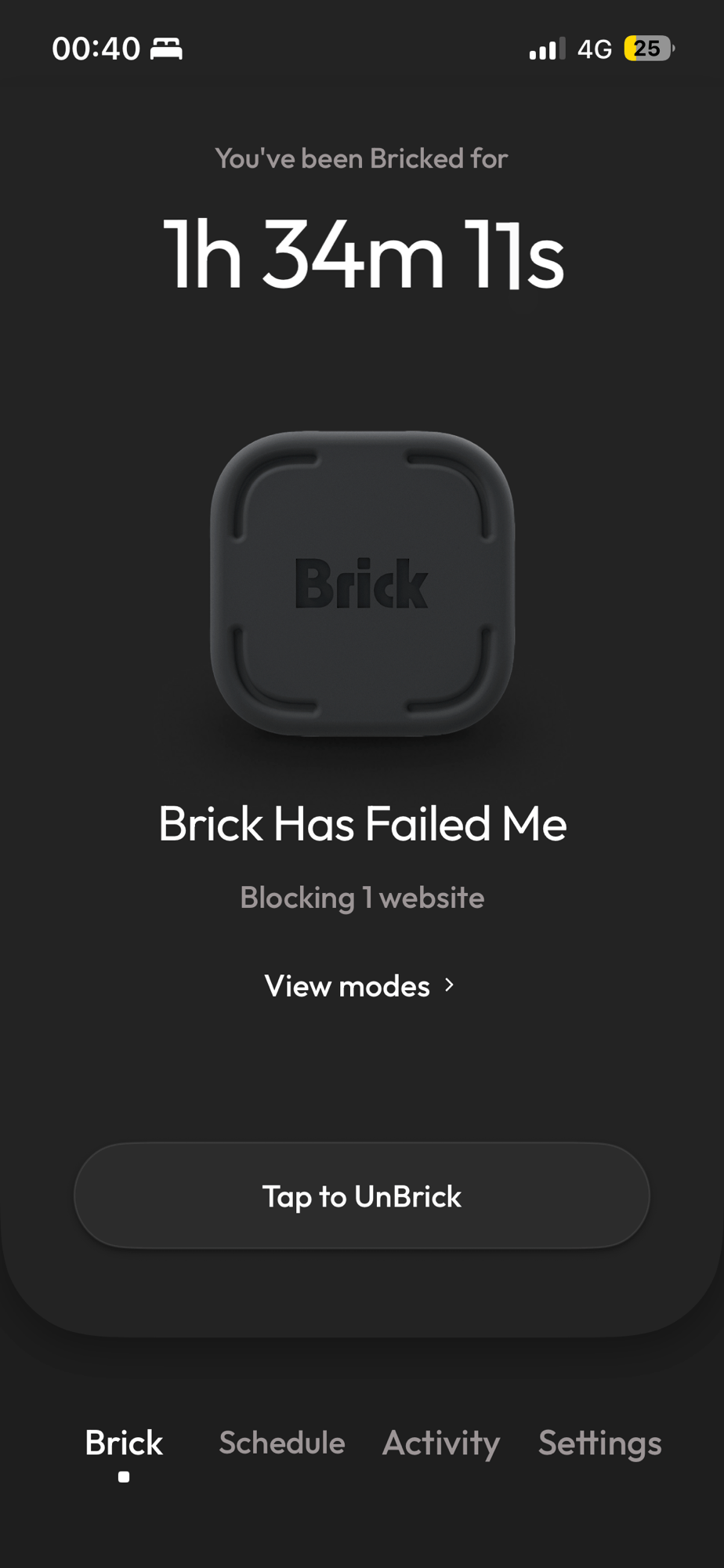
Furthermore, Brick incentivises you to remain within its rules, by keeping track of all of the hours you’ve been Bricked for. A neat little trick that gamifies the experience because it makes you want to see how long you can last whilst Bricked (my personal highest was just over 2 weeks).
But this journey wasn’t perfect in the end, and as I will explain, there were enough negatives to deter me from continuing using the Brick.
The Negatives
In the beginning, the adjustment period was hard. Apple limits the amount of apps you can block / allow to 50. Furthermore, Brick back in late-2025 didn’t have much of an ironclad grip when it came to enforcing blocks.
Many of the things I was trying to get away from can easily be accessed via browser. You would think that blocking Safari, Chrome etc and disabling the ability to install apps, would prevent anyone from accessing the online world. But certain apps on my phone at the time would open Safari within its space. For example, on the Greggs app, if you were to click on Terms and Conditions, an in-app browser would pop up to allow you to read them. Brick didn’t block Safari in this instance, meaning I could find my way towards Google by accessing various links and I was home free. This resulted in months of playing a game of whack-a-mole, whereby I tried to block apps that had this in-app browser feature (there was a lot!). Brick had patched this feature in the end, but was a sign of frustration that came within my first months of using Brick.
I noticed during this period that overnight my Brick would unlock randomly. I had traced it to the fact that the app would update on the App Store, and as such, would disable the current block that was going on. This happened a handful of times during this period and would make me worried about my future should it unlock my phone for me during a period of high stress.
In the end I settled for allow mode, which meant that every single app and website on my phone was blocked, besides the ones I specifically wanted to allow.
Allow mode worked really well for a time, and was extremely effective in ensuring there was no way around the blocks.
But then, something absolutely terrible happened.
Brick updated, but that’s not all. Every single minute of progress I accumulated, and every single mode I had set up had mysteriously vanished. Overnight.
I had to email Brick’s support team, who worked hard to in trying to restore my hours. Eventually the method they suggested worked, and I carried on as normal, racking up a high amount of hours in Brick mode, whilst keeping away from bad habits.
But the issue returned, and with vengeance. All my progress and modes had been deleted again. The sad thing is, this time around, Brick wasn’t able to restore these settings.
The icing on the cake was that whatever update they did to Brick had re-enabled Safari in its entirety. Allow mode, something that should block every single website in existence, was allowing me to freely access the web. The update that took every fibre of progress I had made, including thousands of hours collected in Brick and an allow mode that had been finalised and perfected, had been one that made the app fundamentally worse.
Though the allow mode error was eventually patched, I had become embittered losing everything I had gained on something I had spent £50 on. While the Brick works still, I’m effectively starting from scratch, rediscovering my modes and counting the hours again.
Point being, don’t get too attached to the amount of hours you accumulate, because they can easily be reset for no reason. Beware also if the fact that Brick will randomly reset overnight sometimes and you have to actively re-activate the Brick after every update.
It’s been a few months since I last used Brick, and I’m weary of doing so.

